Digital Product Passport Software
Create, approve, and publish digital product passports (DPP)
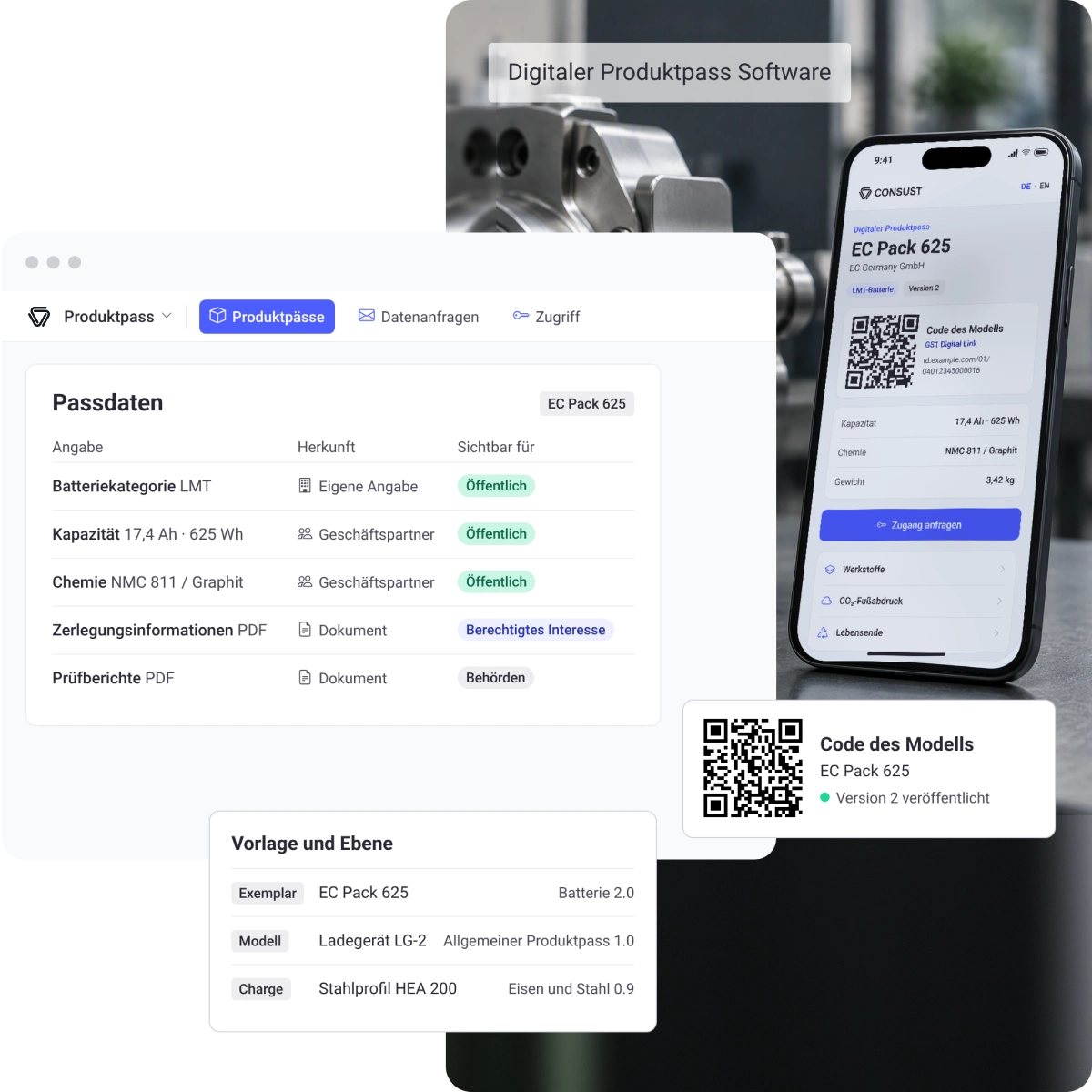
With CONSUST FramesCube, professionals in product compliance, sustainability, and quality can implement the battery passport and other digital product passports. The software guides you from the template, through your business partners’ data, to the published passport page behind the QR code.
LEADING GRC TEAMS RELY ON CONSUST





Challenges
What’s Really Holding Companies Back When It Comes to Digital Product Passports
Advantages
Your Benefits with CONSUST
One template per product group
Each template specifies which details are required, at what level they apply, and who is authorized to view them. This way, you’ll know right from the start what needs to be included in your passport.
First-hand supply chain data
You can request any missing information directly from your business partners via the Pass. You review each response individually, and the Pass clearly shows who provided which information.
Relevant information for each target audience
The public information is visible to everyone via the QR code. You can grant temporary access to additional information for businesses and government agencies that request it.
Verifiable history of every change
The history shows who changed, requested, approved, and published what and when. Frozen versions document which version was in effect at any given time.
Process
5 Steps to Your Digital Product Passport
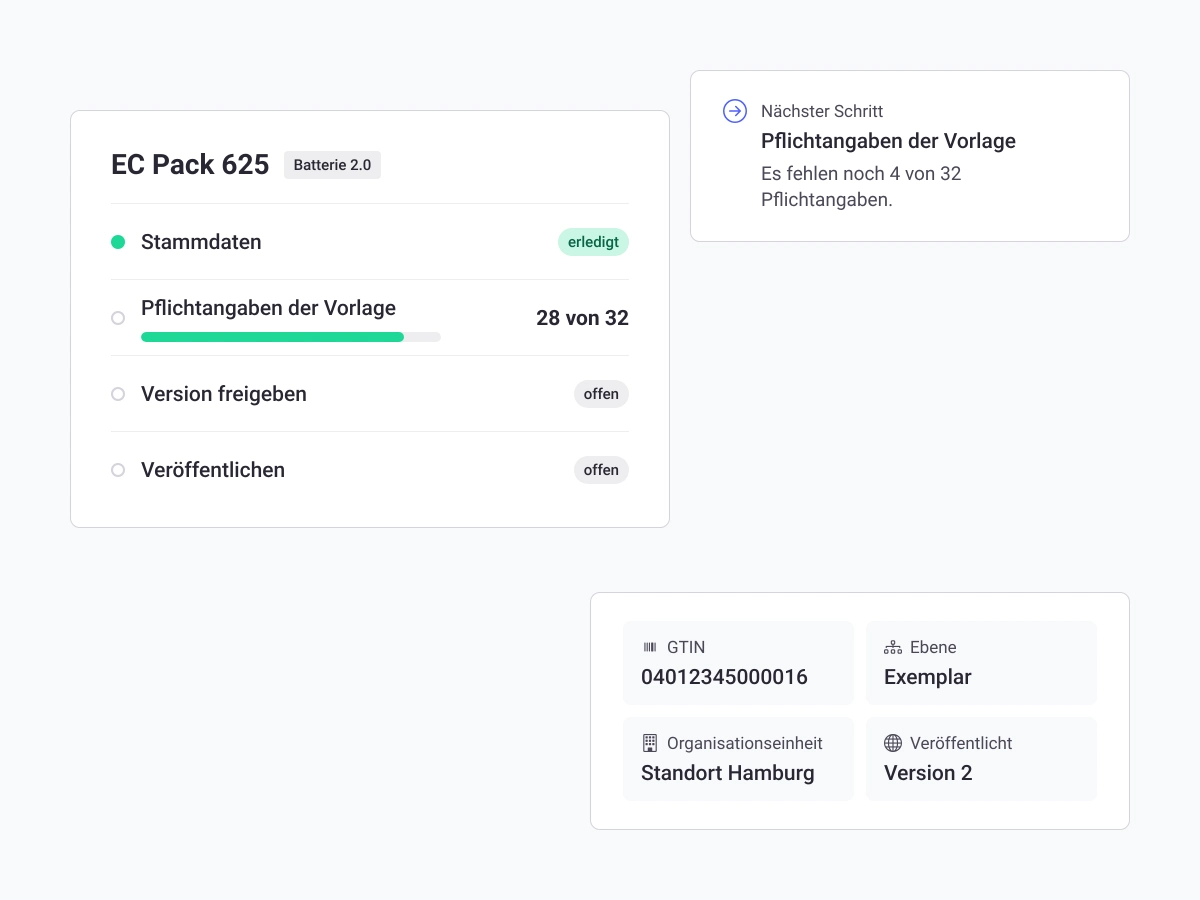
With our FramesCube Product Passport module, we’ll guide you from the first product all the way to the QR code on the packaging, and a checklist for each passport shows you the next step.
Step 1
Guided and Precise Creation of Each Product Passport
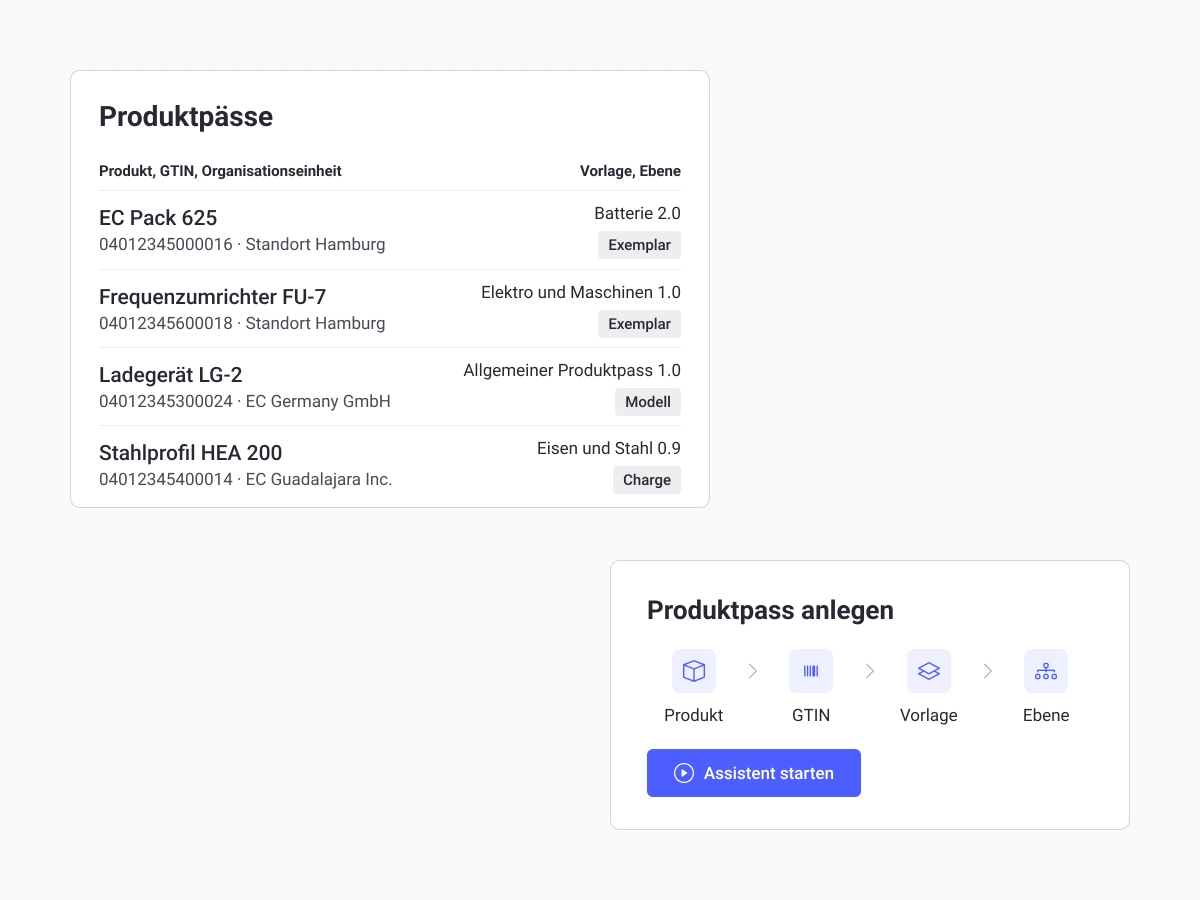
Create the product passport using a wizard that guides you through the product, item number (GTIN), template, and level. Decide whether it applies to a model, a batch, or each individual unit.
Step 2
Complete and verifiable entry of passport data
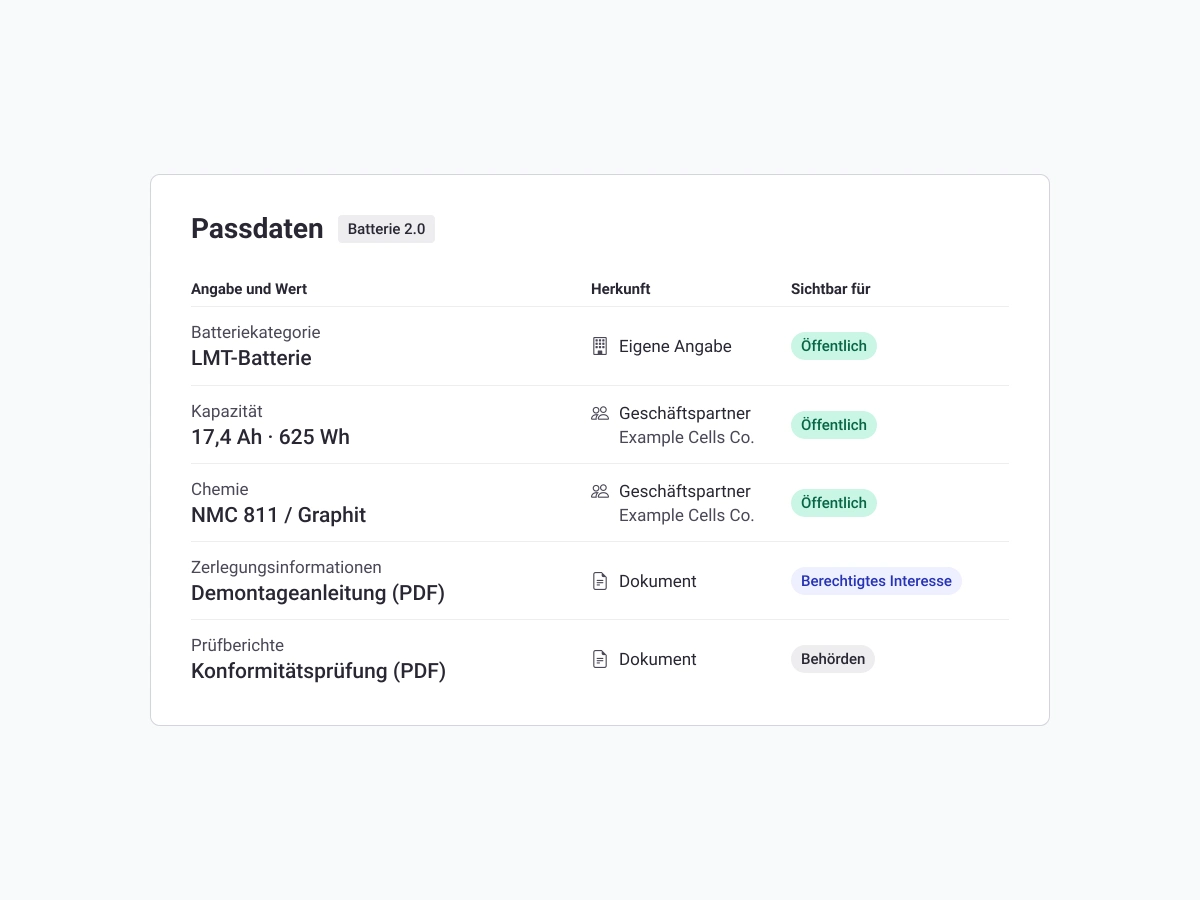
Enter the passport data manually or via Excel import, and see the source of each piece of information. The passport reads the carbon footprint directly from the carbon footprint report in FramesCube, and a filter highlights any required fields that are still missing.
Step 3
Direct and Verified Data Requests to Business Partners
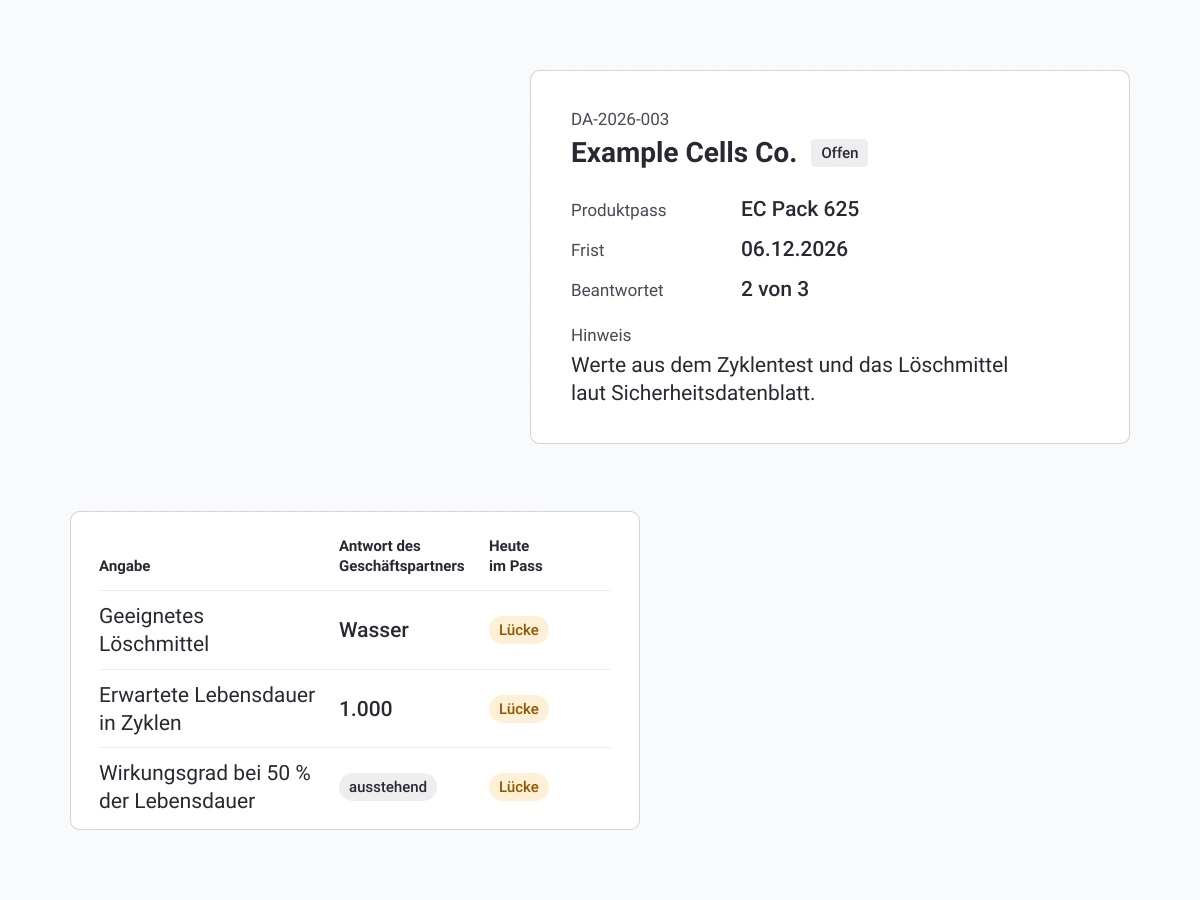
Use the available information to submit a data request to your business partners, and reminders are sent automatically. The response is received via the partner portal, and you accept it only after verifying each piece of information individually.
Step 4
Controlled and verifiable release of each version
Have each version approved by a second person. Upon publication, it is frozen and secured with a checksum; earlier versions are retained.
Step 5
Unique and Tiered Provision via QR Code
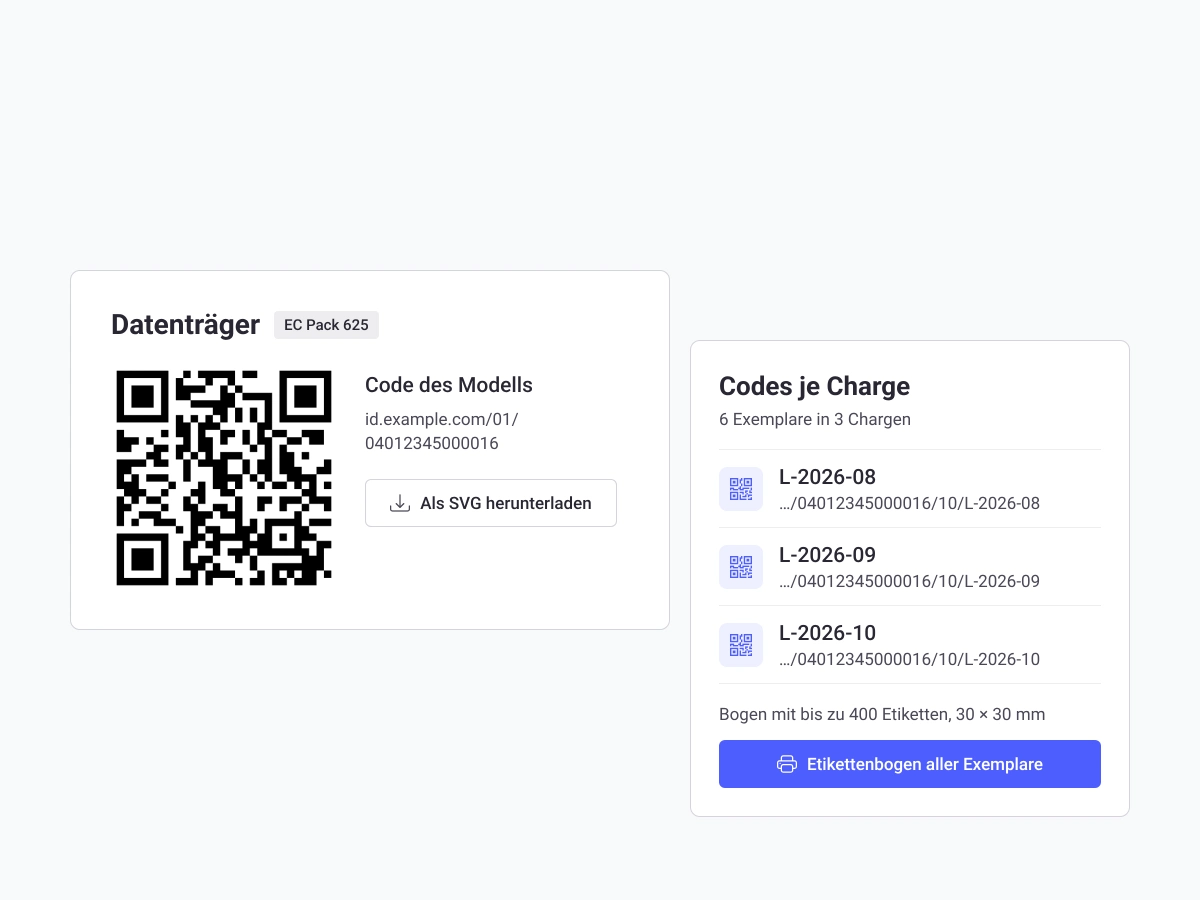
Label each model, batch, and unit with a QR code based on the GS1 Digital Link standard. The profile page displays public information; additional information can be made available upon request to repair and recycling facilities or government agencies.
Key Features of the CONSUST Digital Product Passport (DPP) Software at a Glance
Prepare your battery passport now in a structured and verifiable manner.
Solution
Why Manufacturers and Importers Rely on CONSUST
FramesCube combines templates for every product group, your business partners’ data, and verifiable approval within a single module. As a result, data requests, approval, the product passport page, and access management work the same way for the battery passport as they do for any other product group.
Customer Testimonials
100% of our customers are satisfied
What drives us: satisfied customers with whom we build long-term, trusting relationships.
 “We’ve had a very positive experience with CONSUST FramesCube. We’re particularly impressed by CONSUST’s quick response times and expert support, which provide us with practical assistance when we have questions and make it much easier to implement our ESG requirements.”


, Schwan Cosmetics
 “CONSUST’s FramesCube ESG software and consulting services optimally map our specific ESG requirements and processes, despite our complex organizational structure.”

HANNING & KAHL
Teil unserer all-in-one Software für effizientes ESG-, GRC- und Legal-Management
FAQ
Frequently Asked Questions About Our Digital Product Passport (DPP) Software
The most important questions about the concept, obligations, product groups, benefits, and access rights related to the Digital Product Passport at a glance.